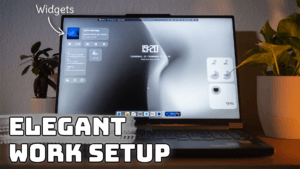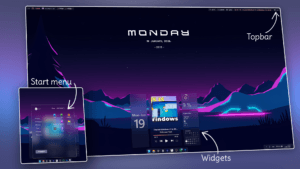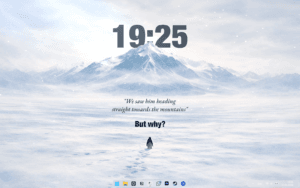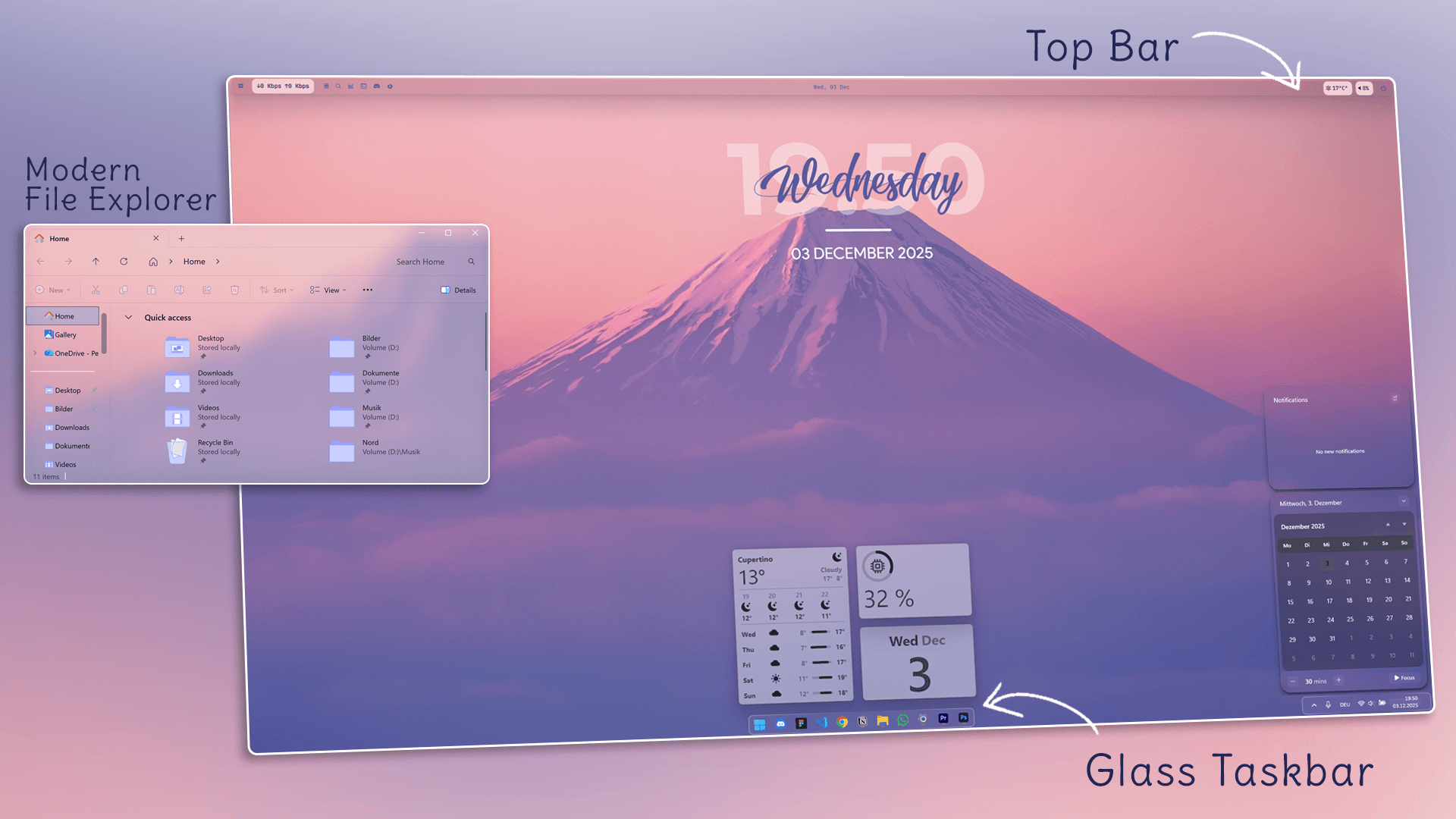
Welcome to the official Unknown Tech blogpost for the Nordic Windows Aesthetic Setup.
Here you’ll find all links, downloads, configs and code snippets used in the video — everything in one clean and easy-to-follow place.
1. Windhawk Mods & Code
Windhawk is used for customizing the taskbar, start menu and notifications.
Windhawk Download: https://windhawk.net/
Windhawk Taskbar Code
Copy & paste this into the Advanced tab of the Windhawk Taskbar Manager mod:
Taskbar Code:
{"theme":"liquid glass Taskbar","controlStyles[0].target":"Taskbar.TaskbarFrame#TaskbarFrame > Grid#RootGrid","controlStyles[0].styles[0]":"Background:=<WindhawkBlur BlurAmount=\"30\" TintColor=\"#10ffffff\" />","controlStyles[0].styles[1]":"Margin=3","controlStyles[0].styles[2]":"CornerRadius=8","controlStyles[0].styles[3]":"BorderBrush:=<LinearGradientBrush StartPoint=\"0,0\" EndPoint=\"1,1\" Opacity=\"0.6\"><GradientStop Color=\"#80ffffff\" Offset=\"0.0\" /><GradientStop Color=\"{ThemeResource SurfaceStrokeColorDefault}\" Offset=\"0.55\" /><GradientStop Color=\"#80ffffff\" Offset=\"1\" /></LinearGradientBrush>","controlStyles[0].styles[4]":"BorderThickness=2","controlStyles[0].styles[5]":"Padding=0,0","controlStyles[1].target":"Taskbar.TaskListButtonPanel@CommonStates > Border#BackgroundElement","controlStyles[1].styles[0]":"CornerRadius=0","controlStyles[1].styles[1]":"Background:=Transparent","controlStyles[1].styles[2]":"Background@InactivePointerOver:=Transparent","controlStyles[1].styles[3]":"Background@ActivePointerOver:=Transparent","controlStyles[1].styles[4]":"Background@ActiveNormal:=Transparent","controlStyles[1].styles[5]":"Background@InactiveNormal:=Transparent","controlStyles[1].styles[6]":"Background@InactivePressed:=Transparent","controlStyles[1].styles[7]":"Background@ActivePressed:=Transparent","controlStyles[1].styles[8]":"BorderBrush:=Transparent","controlStyles[1].styles[9]":"BorderThickness=0","controlStyles[2].target":"Grid#SystemTrayFrameGrid","controlStyles[2].styles[0]":"Background:=<WindhawkBlur BlurAmount=\"30\" TintColor=\"#10ffffff\" />","controlStyles[2].styles[1]":"CornerRadius=8","controlStyles[2].styles[2]":"Margin=6,4,6,4","controlStyles[2].styles[3]":"Padding=10,6,10,6","controlStyles[2].styles[4]":"BorderBrush:=<LinearGradientBrush StartPoint=\"0,0\" EndPoint=\"1,1\" Opacity=\"0.6\"><GradientStop Color=\"#80ffffff\" Offset=\"0.0\" /><GradientStop Color=\"{ThemeResource SurfaceStrokeColorDefault}\" Offset=\"0.55\" /><GradientStop Color=\"#80ffffff\" Offset=\"1\" /></LinearGradientBrush>","controlStyles[2].styles[5]":"BorderThickness=2","controlStyles[3].target":"Taskbar.TaskListLabeledButtonPanel@RunningIndicatorStates > Rectangle#RunningIndicator","controlStyles[3].styles[0]":"Fill:=#808080","controlStyles[3].styles[1]":"RadiusX=4","controlStyles[3].styles[2]":"RadiusY=4","controlStyles[3].styles[3]":"Height=4","controlStyles[3].styles[4]":"Width=10","controlStyles[3].styles[5]":"Width@ActiveRunningIndicator=20","controlStyles[3].styles[6]":"Fill@ActiveRunningIndicator=#f2b3bb","controlStyles[4].target":"Taskbar.TaskListLabeledButtonPanel > TextBlock#LabelControl","controlStyles[4].styles[0]":"Margin=4,0,0,0","controlStyles[4].styles[1]":"Foreground=White","controlStyles[5].target":"Taskbar.SearchBoxButton","controlStyles[5].styles[0]":"Foreground=White","controlStyles[5].styles[1]":"Margin=-11,0,0,0","controlStyles[6].target":"TextBlock#SearchBoxTextBlock","controlStyles[6].styles[0]":"FontSize=12","controlStyles[6].styles[1]":"Foreground=White","controlStyles[7].target":"Grid","controlStyles[7].styles[0]":"RequestedTheme=2","controlStyles[8].target":"Taskbar.TaskListButton#TaskListButton[AutomationProperties.Name=Copilot] > Taskbar.TaskListLabeledButtonPanel#IconPanel > Border#BackgroundElement","controlStyles[8].styles[0]":"Background:=Transparent","controlStyles[9].target":"Taskbar.AugmentedEntryPointButton#AugmentedEntryPointButton > Taskbar.TaskListButtonPanel#ExperienceToggleButtonRootPanel > Border#BackgroundElement@CommonStates","controlStyles[9].styles[0]":"Background:=Transparent","controlStyles[9].styles[1]":"Background@InactivePointerOver:=Transparent","controlStyles[10].target":"Border#MultiWindowElement","controlStyles[10].styles[0]":"Visibility=Collapsed","controlStyles[11].target":"TextBlock#TimeInnerTextBlock","controlStyles[11].styles[0]":"Foreground=White","controlStyles[12].target":"TextBlock#DateInnerTextBlock","controlStyles[12].styles[0]":"Foreground=White","controlStyles[13].target":"SystemTray.TextIconContent > Grid > SystemTray.AdaptiveTextBlock#Base > TextBlock","controlStyles[13].styles[0]":"Foreground=White","controlStyles[14].target":"Taskbar.AugmentedEntryPointButton#AugmentedEntryPointButton","controlStyles[14].styles[0]":"Margin=-12,0,0,0","controlStyles[15].target":"Taskbar.ExperienceToggleButton#LaunchListButton[AutomationProperties.Name=Task View]","controlStyles[15].styles[0]":"Margin=-12,0,0,0","controlStyles[16].target":"taskbar:TaskListLabeledButtonPanel@RunningIndicatorStates > Border","controlStyles[16].styles[0]":"Background@InactiveRunningIndicatorPointerOver:=Transparent","controlStyles[16].styles[1]":"CornerRadius=0","controlStyles[16].styles[2]":"BorderBrush@InactiveRunningIndicatorPointerOver:=Transparent","controlStyles[16].styles[3]":"BorderThickness@InactiveRunningIndicatorPointerOver=0","controlStyles[17].target":"Taskbar.TaskListLabeledButtonPanel@CommonStates > Border#BackgroundElement","controlStyles[17].styles[0]":"Background@InactivePointerOver:=Transparent","controlStyles[17].styles[1]":"Background@ActivePointerOver:=Transparent","controlStyles[17].styles[2]":"Background@InactiveNormal:=Transparent","controlStyles[17].styles[3]":"Background@ActiveNormal:=Transparent","controlStyles[17].styles[4]":"Background@ActivePressed:=Transparent","controlStyles[17].styles[5]":"Background@InactivePressed:=Transparent","controlStyles[17].styles[6]":"CornerRadius=0","controlStyles[17].styles[7]":"Margin=0","controlStyles[17].styles[8]":"BorderBrush:=Transparent","controlStyles[17].styles[9]":"BorderThickness=0","controlStyles[18].target":"Rectangle#BackgroundStroke","controlStyles[18].styles[0]":"Visibility=Collapsed","controlStyles[18].styles[1]":"Fill=#000000","controlStyles[19].target":"Taskbar.TaskbarFrame#TaskbarFrame","controlStyles[19].styles[0]":"Width=Auto","controlStyles[19].styles[1]":"HorizontalAlignment=Center","controlStyles[19].styles[2]":"Margin=250,0,250,0","controlStyles[20].target":"Rectangle#BackgroundFill","controlStyles[20].styles[0]":"Fill=Transparent","controlStyles[21].target":"SystemTray.NotifyIconView#NotifyItemIcon","controlStyles[21].styles[0]":"Background:=Transparent","controlStyles[21].styles[1]":"CornerRadius=0","controlStyles[21].styles[2]":"Margin=2","controlStyles[21].styles[3]":"Padding=4","controlStyles[21].styles[4]":"BorderBrush:=Transparent","controlStyles[21].styles[5]":"BorderThickness=0"}
2. YASB Top Bar Yasb:
YASB Link: https://github.com/amnweb/yasb
Yaml File:
watch_stylesheet: true
watch_config: true
debug: false
bars:
primary-bar:
enabled: true
screens: ["*"]
class_name: "yasb-bar"
alignment:
position: "top"
center: false
blur_effect:
enabled: true
dark_mode: true
round_corners: true
border_color: None
window_flags:
windows_app_bar: false
dimensions:
width: "100%"
height: 34
padding:
top: 5
left: 6
bottom: 2
right: 6
widgets:
left: ["win_button", "traffic", "apps"]
center: ["date"]
right: ["weather", "volume", "notifications", "power_menu"]
widgets:
win_button:
type: "yasb.custom.CustomWidget"
options:
label: ""
label_alt: ""
class_name: "win-btn"
callbacks:
on_left: "exec start_menu"
apps:
type: "yasb.applications.ApplicationsWidget"
options:
container_padding: { top: 0, left: 0, bottom: 0, right: 0 }
label: "{data}"
app_list:
- { icon: "", launch: "quick_settings" }
- { icon: "", launch: "search" }
- { icon: "", launch: "cmd /c Taskmgr" }
- { icon: "", launch: "wt" }
- { icon: "", launch: "\"C:\Users\amn\AppData\Local\Discord\Update.exe\" --processStart Discord.exe" }
- { icon: "", launch: "\"C:\Program Files\Mozilla Firefox\firefox.exe\"" }
traffic:
type: "yasb.traffic.TrafficWidget"
options:
label: "↓{download_speed} ↑{upload_speed}"
label_alt: "↓{download_speed} ↑{upload_speed}"
update_interval: 1000
callbacks:
on_left: "toggle_label"
weather:
type: "yasb.weather.WeatherWidget"
options:
label: "<span>{icon}</span> {temp}°"
label_alt: "<span>{icon}</span> {location}: Min {min_temp}° Max {max_temp}° | Humidity {humidity}%"
api_key: "f06f46a4615344a2b41125000252806"
update_interval: 600
hide_decimal: true
location: "Los Angeles, US"
callbacks:
on_left: "toggle_label"
icons:
sunnyDay: ""
clearNight: ""
cloudyDay: ""
cloudyNight: ""
rainyDay: ""
rainyNight: ""
snowyIcyDay: ""
snowyIcyNight: ""
blizzardDay: ""
default: ""
volume:
type: "yasb.volume.VolumeWidget"
options:
label: "<span>{icon}</span> {level}"
label_alt: "{volume}"
volume_icons: ["", "", "", "", ""]
callbacks:
on_right: "exec cmd.exe /c start ms-settings:sound"
date:
type: "yasb.clock.ClockWidget"
options:
label: "{%A, %d %B %Y}"
label_alt: "{%a, %d %b}"
callbacks:
on_left: "toggle_label"
notifications:
type: "yasb.notifications.NotificationsWidget"
options:
label: "<span></span>"
label_alt: "{count} notifications"
hide_empty: true
tooltip: true
callbacks:
on_left: "toggle_notification"
on_middle: "toggle_label"
power_menu:
type: "yasb.power_menu.PowerMenuWidget"
options:
label: "<span></span>"
uptime: true
blur: true
blur_background: true
animation_duration: 200
button_row: 5
buttons:
shutdown: ["", "Shut Down"]
restart: ["", "Restart"]
signout: ["", "Sign out"]
hibernate: ["", "Hibernate"]
sleep: ["", "Sleep"]
cancel: ["", "Cancel"]
CSS File:
* {
  font-family: "JetBrainsMono NFP";
  font-size: 12px;
  font-weight: 600;
  color: #f1ced6;
  margin: 0;
  padding: 0;
}
.yasb-bar { padding: 0; margin: 0; }
.widget {
  background-color: #f1ced6;
  padding: 2px 6px;
  margin: 0 4px;
  border-radius: 10px;
}
.win-btn,
.apps-widget,
.power-menu-widget {
  background-color: transparent !important;
  box-shadow: none !important;
}
.icon { font-size: 15px; vertical-align: middle; color: #1c1f25 !important; }
.label { padding: 0 4px; color: #1c1f25 !important; }
.label.alt { padding: 0 8px; color: #1c1f25 !important; }
.traffic-widget,
.weather-widget,
.volume-widget,
.clock-widget,
.notifications-widget {
  padding: 1px 6px;
  margin-top: 1px;
  margin-bottom: 1px;
}
.clock-widget {
  position: relative;
  background-color: transparent !important;
  padding: 2px 10px;
  margin: 0 6px;
  overflow: hidden;
}
.clock-widget::before {
  content: "";
  position: absolute;
  top: 0;
  left: -10px;
  width: calc(100% + 20px);
  height: 100%;
  background-color: #5c5d9e;
  transform: skew(-20deg);
  border-radius: 6px;
  z-index: -1;
}
.apps-widget .label,
.win-btn .label,
.clock-widget .label { color: #5c5d9e !important; }
.power-menu-widget .label { font-size: 18px; color: #5c5d9e; }
.power-menu-popup .button {
  padding: 0;
  width: 180px;
  height: 230px;
  border-radius: 8px;
  border: 2px solid var(--border-color);
  background-color: var(--background-color);
  color: var(--foreground-color);
}
.power-menu-popup .button:hover { border: 2px solid #ffffff; }
.power-menu-popup .button .label {
  margin-bottom: 8px;
  font-size: 16px;
  font-weight: 500;
  color: var(--foreground-color);
}
.power-menu-popup .button .icon {
  font-size: 64px;
  padding-top: 32px;
  color: var(--foreground-color);
}
3. Wallpaper
Download the wallpaper used in the video here:
Wallpaper Link: https://imgur.com/wallpaper-u2oPC
4. uWidgets
Download
uWidgets Download: https://github.com/creewick/uWidgets
Installation
- uWidgets Installer ausführen
- Widgets auswählen: Weather, CPU, Date
- Date-Widget auf volle Taskbar-Breite ziehen
- Weather + CPU darüber platzieren
5. Rainmeter
- Rainmeter: https://www.rainmeter.net
- Clock skin used: m/skin/robi
- Color Code: 59589C
6. Custom Icons & Explorer Blur
- Theme: CakeOS Purple
- Explorer Blur with Mica / Acrylic look
- Windhawk Resource Redirect (for icon overrides)