Improve focus, organization & workflow — without switching operating systems.
Studying on a cluttered or boring desktop can slowly drain motivation, attention, and energy.
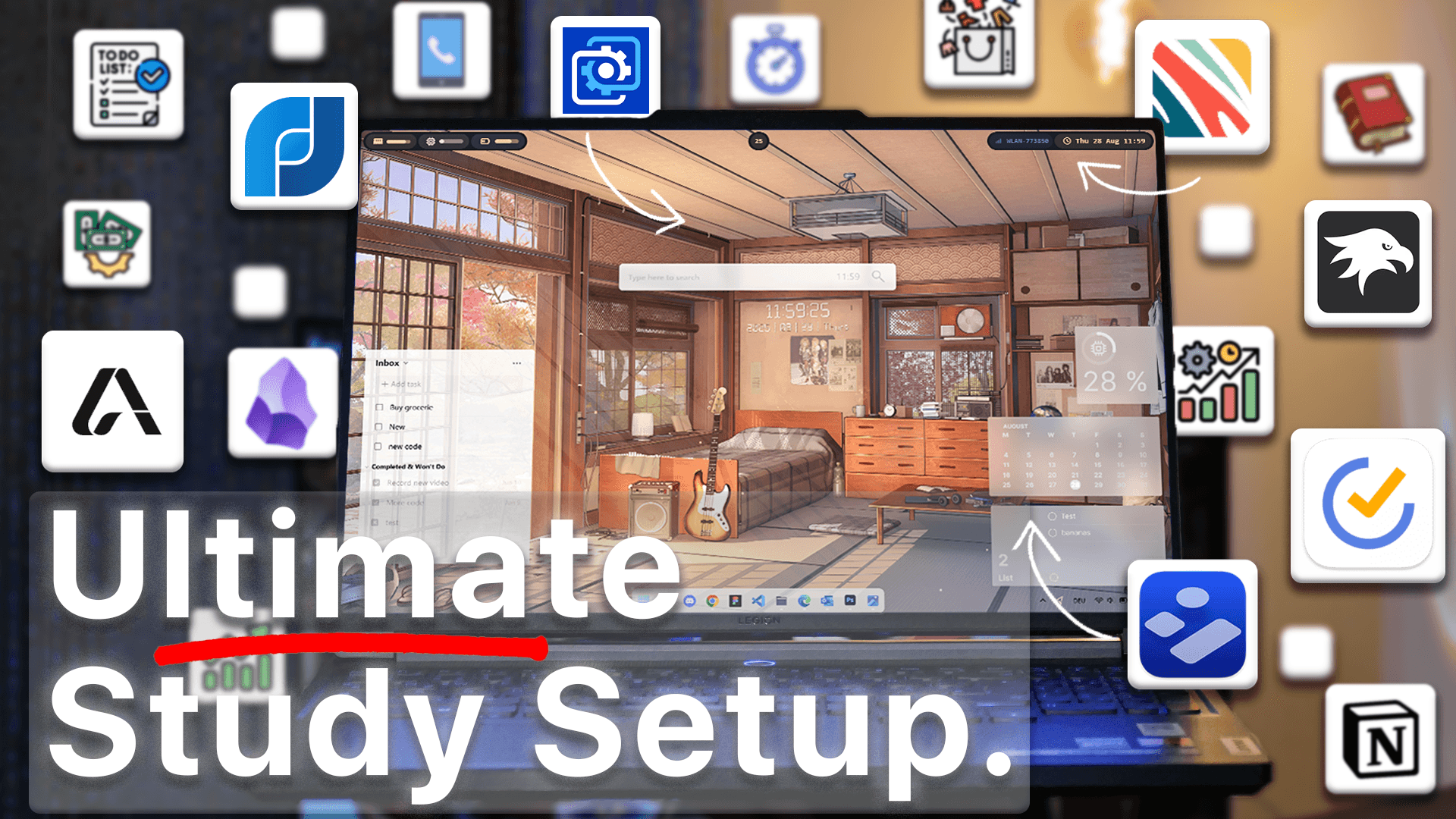
This setup is built for focus, clarity, and productivity, using clean visuals + powerful workflow tools — tested and hand-picked so you only install what is actually worth using.
By the end, you will transform Windows into a minimal, aesthetic, distraction-free workspace — the same style used in the video.
🚀 Tools Used in This Setup
| Category | Tool | Purpose |
|---|---|---|
| UI Tweaks | Windhawk | Transparent taskbar, start menu & notification menu |
| Top Bar | YASB Reborn | Mac-style minimal top bar with shortcuts |
| Wallpaper | Wallpaper Engine (or free alternative) | Animated calming lofi environment |
| Widgets | UWidgets | Notes + calendar widgets |
| Quick Launcher | Flow Launcher + Everything | Instant file & app search |
| Task Manager | TickTick | Task widget, Eisenhower matrix, habit tracking |
| AI Study Assistant | Atlas AI | Study guides, flashcards & quizzes |
📌 STEP-BY-STEP SETUP GUIDE
1️⃣ Transform the Windows Interface Using Windhawk
This tool modernizes the entire Windows UI: start menu, taskbar and notifications — all with translucent, soft lofi styling.
Download & Install
Visit the official Windhawk site → download → run installer.
Inside Windhawk, install these 3 mods:
| Mod | Setting to Apply |
|---|---|
| Windows 11 Start Menu Styler | Translucent Start Menu |
| Taskbar Styler | Dock-Like Style |
| Notification Styler | Translucent Shell |
Once all three are applied, the desktop already looks cleaner, softer, and much more modern.
2️⃣ Add a Minimal & Functional Top Bar – YASB Reborn
This step gives you a Mac-style productivity bar with quick-access controls.
Install Steps:
- Download JetBrains Mono font → extract → install.
- Download the YASB installer (MSI) from GitHub → run.
- Allow the Windows warning using “More Info → Run Anyway”.
You now have a clean, distraction-free top bar with useful shortcuts like power controls.
3️⃣ Apply a Calming Live Wallpaper – Wallpaper Engine
Open Wallpaper Engine → go to the Workshop → search for:
“Lofi Room”
→ Apply the first result
Tip:
You can also use any free wallpaper from Google, still achieving the same aesthetic.
4️⃣ Add Minimal Glass-Style Productivity Widgets – UWidgets
Install, run, and select the following recommended widgets:
| Widget | Size | Placement |
|---|---|---|
| Calendar | Medium | Top-right |
| Notes | Large | Bottom-right |
Widgets can also be styled:
- Change accent colors
- Adjust background
- Customize opacity
Feels like macOS widgets — but on Windows and fully themeable.
5️⃣ Supercharge Productivity With Flow Launcher
Install the Flow Launcher → open settings → go to:
Plugins → Explorer → set all search engines to Everything
This allows instant smart searching:
- Apps
- Documents
- Notes
- Calculations
- URLs
Distraction-free, no Start Menu required.
6️⃣ Organize Tasks & Study Better Using TickTick
Features to enable:
- ✔ Eisenhower Matrix
- ✔ Habit Tracker
- ✔ Countdown Timer
- ✔ Desktop Task Widget
Best part:
You can complete tasks directly inside the widget without opening the app.
7️⃣ Use AI for Smarter Studying — Atlas AI
Upload any study material (PDF, DOCX, text) and Atlas AI can:
| Feature | Result |
|---|---|
| Study Guide | Summaries + key facts |
| Quiz Creator | Auto-generated questions |
| Flashcards | With spaced repetition |
| Homework assistance | Based on your files |
Perfect for solo learners, students, and test prep.
🔗 Quick Links to All Tools
Follow us on YouTube (@Unknown Tech) for video tutorials, tips, and full walkthroughs for every step.
Have questions or want the code/snippets used in this video? Join our Discord or check out the Downloads section below!
📺 Want to see it in action? Watch the full video on YouTube.
Don´t want to miss out on new customization tools and setups?
Subscribe to our newsletter and stay ahead in the world of Windows customization! From the latest tools to our favorite setup ideas, you’ll never miss a chance to enhance your desktop experience again!
Disclaimer for Source Code / Tutorials
The code examples and tutorials are provided for educational purposes only. Use at your own risk. I do not accept any liability for damages resulting from the use of this code.